SpringBoot App Without Security
Spring Security will be used to protect the service from the unauthorized access. First let's learn how can we create a simple Spring Boot application without security, on top of this later will incorporate the Spring Security functionalities to secure the application. Let's see below how to create a simple Spring Boot application.
Create a Spring Boot Application
There are multiple ways to create the Spring Boot applicaiton, I always recommanded and follow the below approach, which is Spring Initializer.
Spring Initializr:
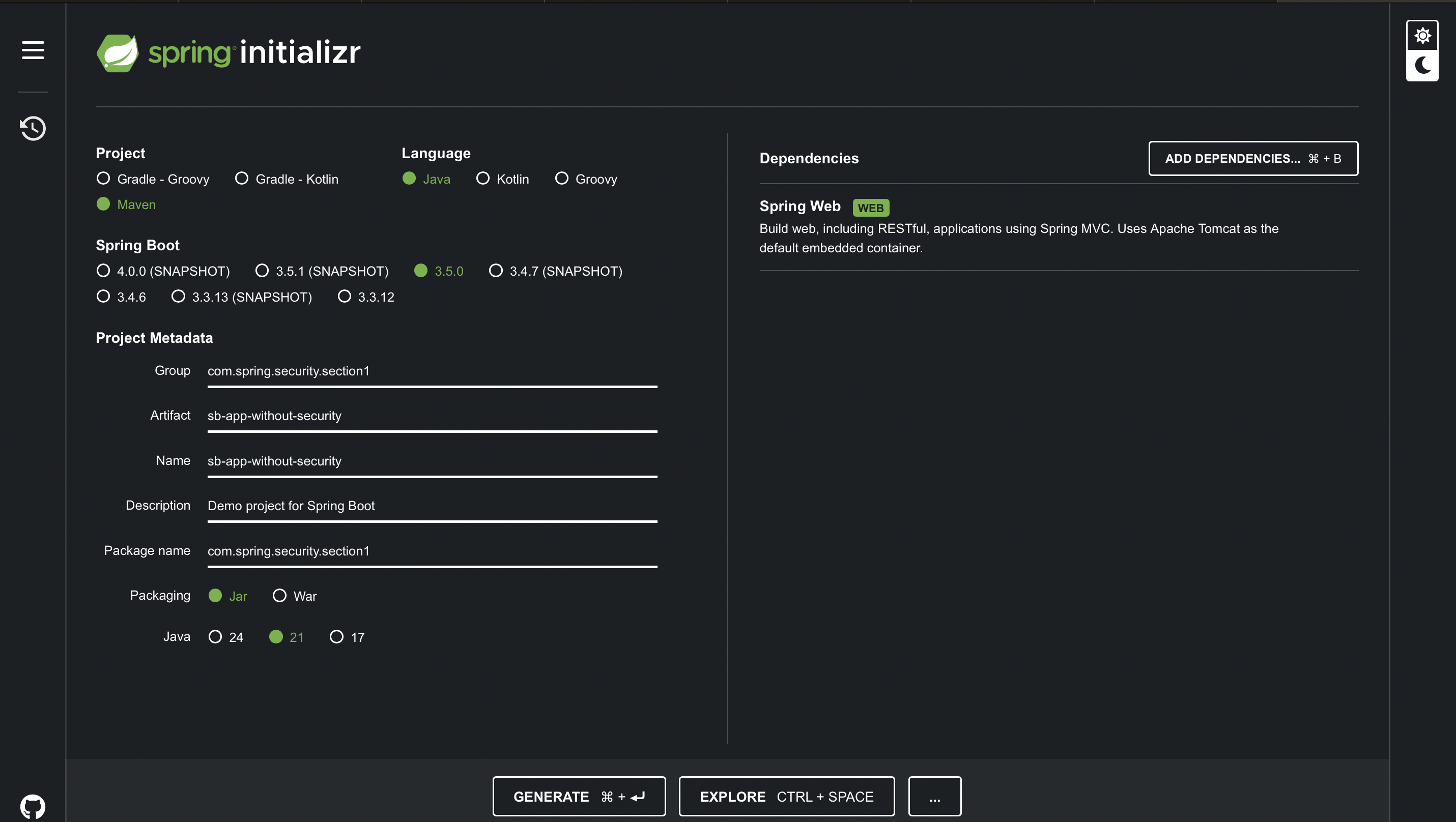
To generate a Spring Boot project using the Spring Initializer, follow below steps:
- 1. Open a web browser and go to the Spring Initializer website at https://start.spring.io/.
- 2. Choose your project settings such as Project type, language, and Spring Boot version. You can also specify your project metadata such as Group, Artifact, and version.
- 3. Select the dependencies you want to include in your project. Dependencies are libraries that provide specific functionality to your application.
- 4. Once you have made all your selections, click the "Generate" button.
- 5. This will download a zip file containing your project. Extract the contents of the zip file to a directory of your choice.
- 6. Open the project in your preferred IDE such as IntelliJ IDEA or Eclipse.
- 7. Build and run your Spring Boot application. You should see a "Hello World" message in your web browser when you visit http://localhost:8080.
Below image is for the reference